



Verified organizations
Live invoices, payment links, payouts, and other restricted actions depend on the active organization and its verification state.
OrganizationIn review
- Live invoices
- Payment links
- Payouts
Create invoices, business dollar virtual cards, manage multiple accounts all in one hub.
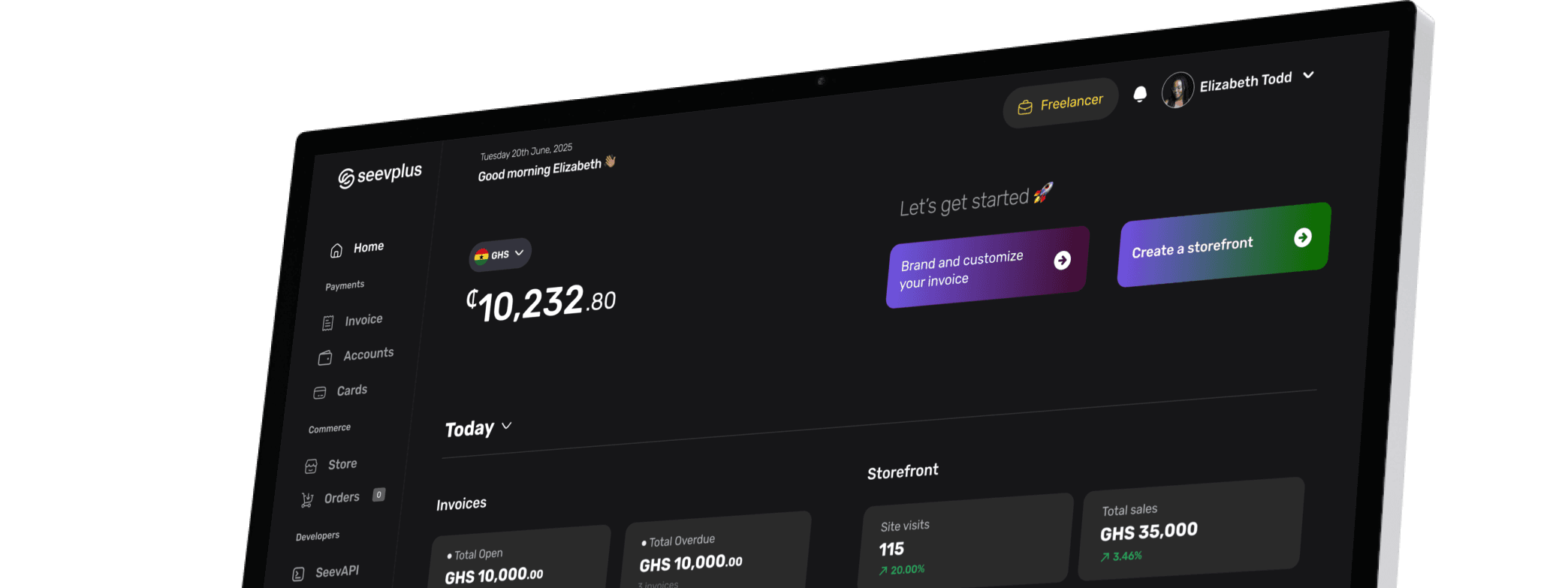
One business workspace
Pick a part of your business and try the tool for it. Each one opens in the same SeevPlus dashboard, under the same login and the same team.
Give every customer a simple way to buy or pay.
Create invoices with line items, discount and tax, share a pay link, and see each invoice move from draft to paid.
Invoices
Create, send and track invoices.
Open
3 · GH₵8,010
Paid this month
1 · GH₵1,200
Pending review
0
Overdue
1 · GH₵860
Kofi Asante
INV-014 · due Aug 14
paidLumen Studio
INV-013 · due Aug 20
sentEsi Owusu
INV-012 · due Jul 30
overdueHarbour & Co
INV-011 · due Aug 30
draftPricing a payment in another currency? Check a live quote in the currency converter.
Controls
Who can act, what they can touch, and where your credentials live. Try each one below.
Live invoices, payment links, payouts, and other restricted actions depend on the active organization and its verification state.
Organization owners can invite teammates, create roles, and choose which product areas each role can access.
SeevPlus lets developers generate and rotate API keys. Secret keys stay on the server and out of browser code.
Keep it in your server environment. Browser code never needs it.
Pricing
One rate on each cedi payment you collect. Once a payment passes GH₵3,333.33, the fee stops at GH₵50, so a large order costs the same to collect as a mid-sized one.
Payouts, cards and transfers show their own fee and rate in SeevPlus before you confirm.
Short answers about accounts, checkout, and access.
Have more questions? Reach out to our business support team.
SeevPlus is the Seevcash business workspace. It covers USD and GHS accounts, invoicing, payment links, storefront and POS orders, virtual cards, customer records, team permissions, and developer tools.
Sign up to start, or contact the business team if you need help choosing the right workflow.